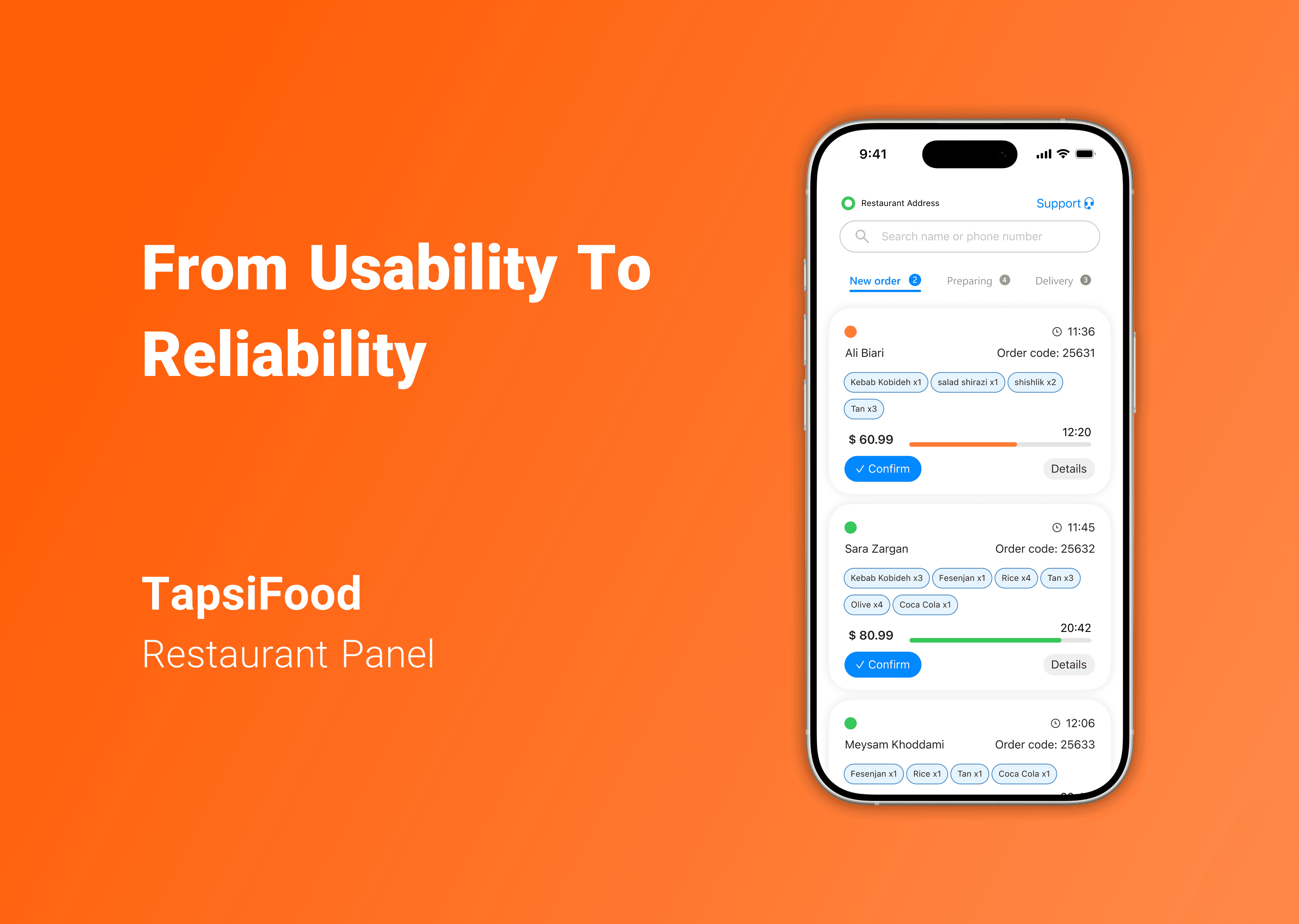
Designing for Peak Hours: From Usability to Reliability (TapsiFood)
Case Study
Aug 16, 2025
Services
Links
In peak lunch/dinner windows, restaurant managers must sort, approve, and shepherd many orders fast. I reframed the task from “make it easier to click” to “make the system hold up under load.” The work has two tracks:
Faster triage with in-card actions
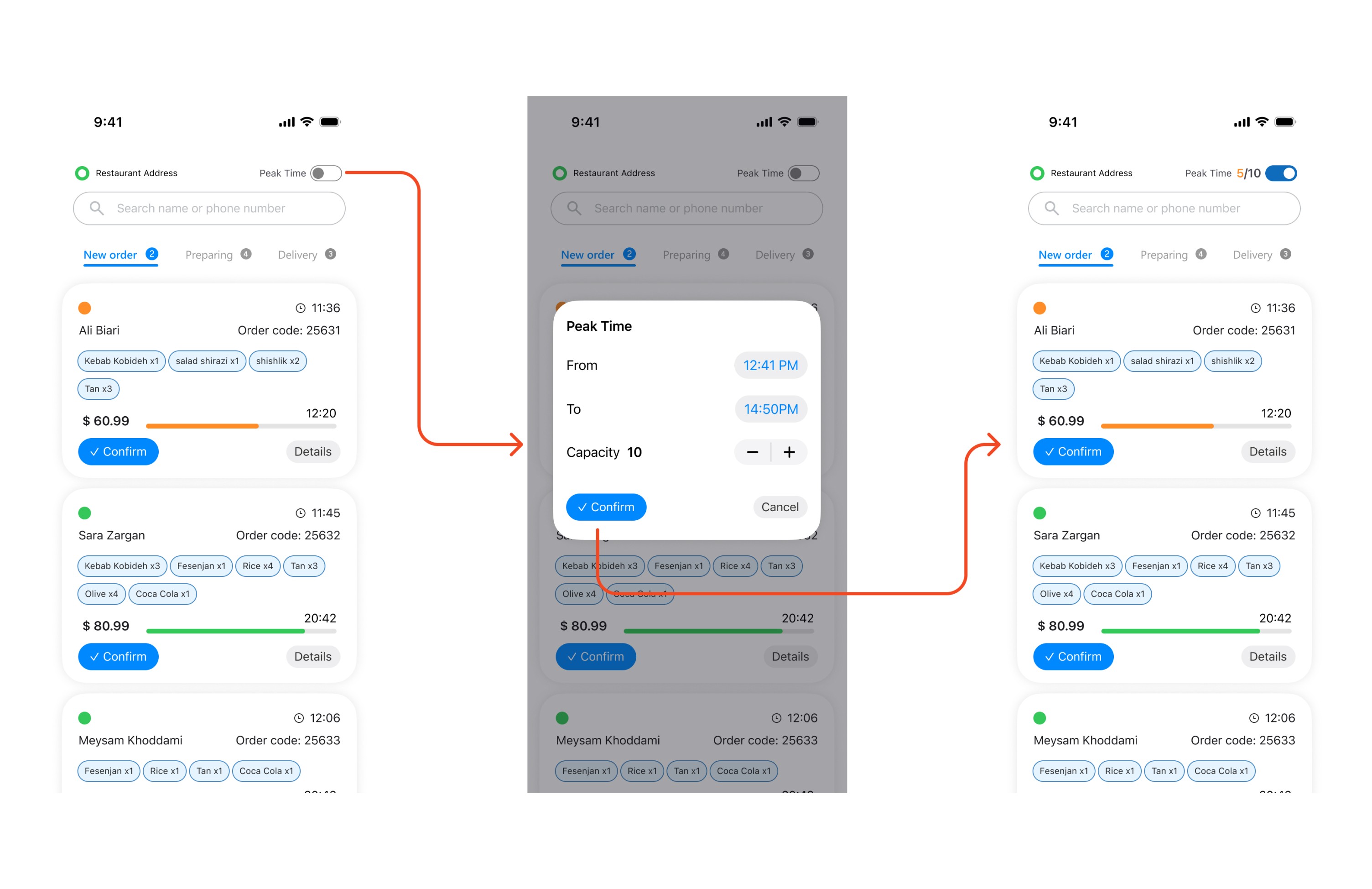
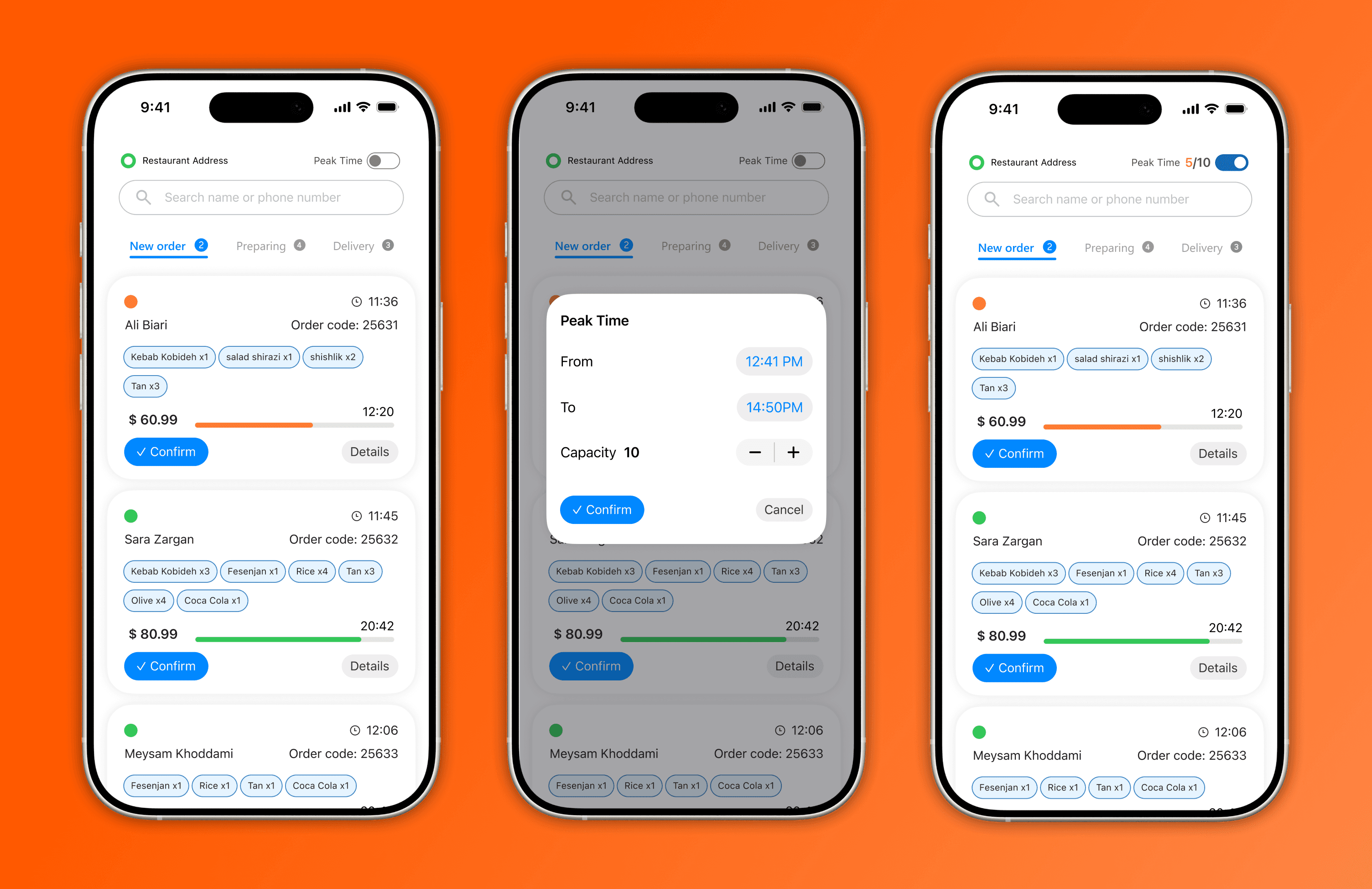
A capacity control feature that temporarily throttles incoming orders to stabilize prep/ETA.
Constraints & Evaluation
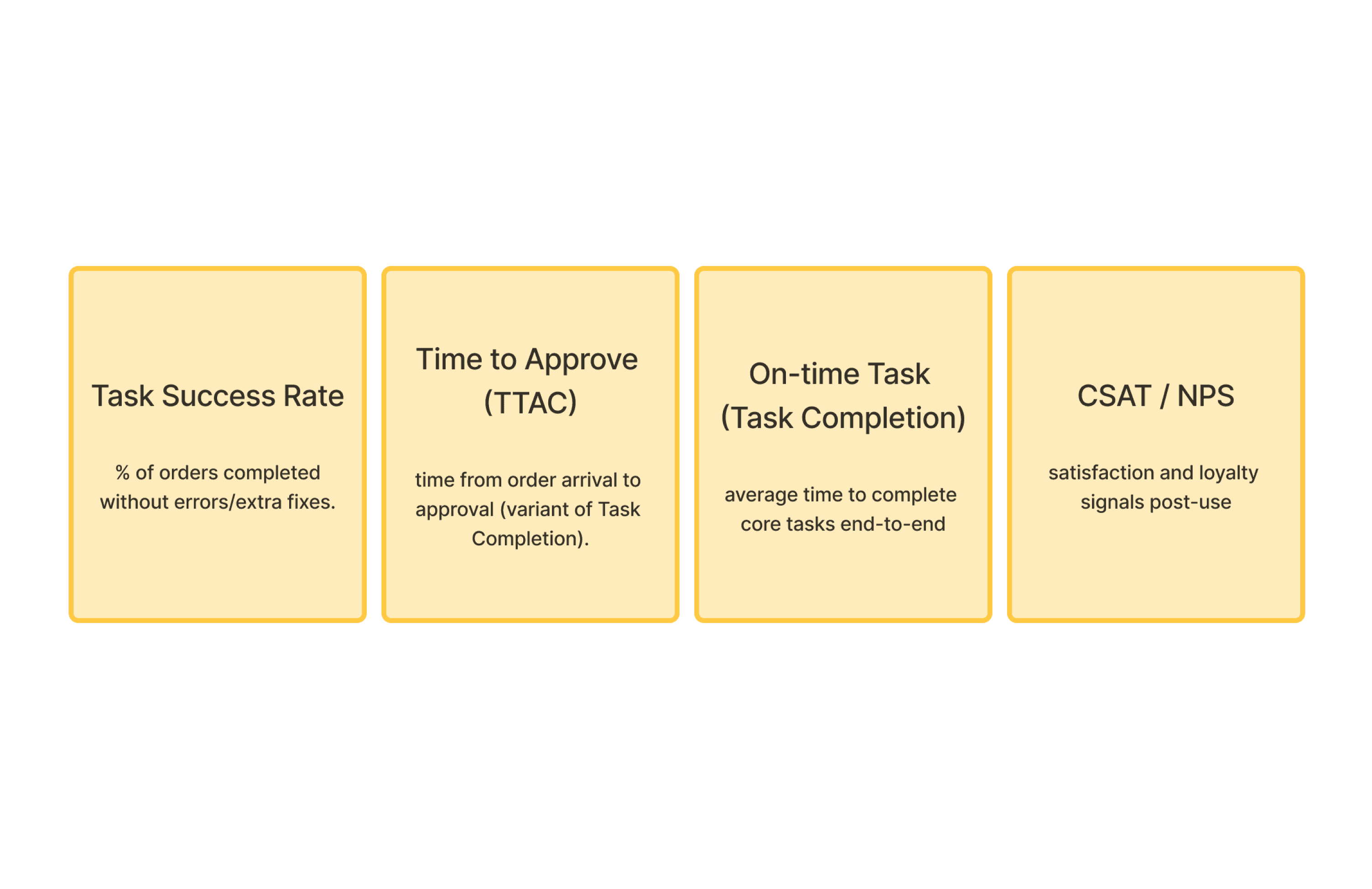
This was framed as a rapid product brief outside the planned roadmap; I had to define what to check before design, how I’d test, and which metrics prove success. I focused on task success/time, CSAT/NPS, and on-time flow.
End-to-End Flow
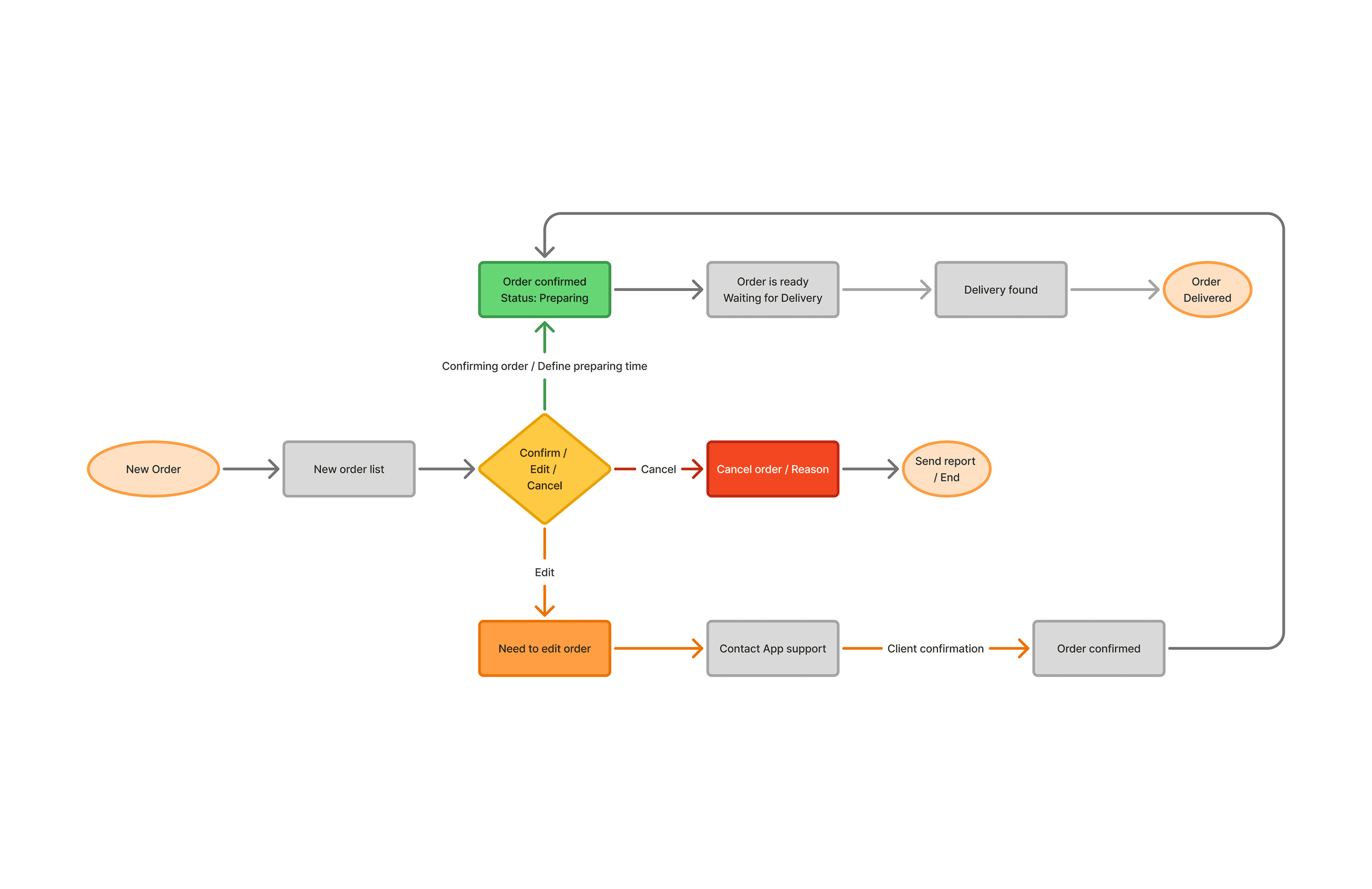
I mapped the journey from order arrival to courier hand-off, including the decision points (approve, needs edit, escalate) and the states that drive UI. This ensures the list, detail, and capacity control work coherently.
Faster Triage from the List (Usability + Operability)
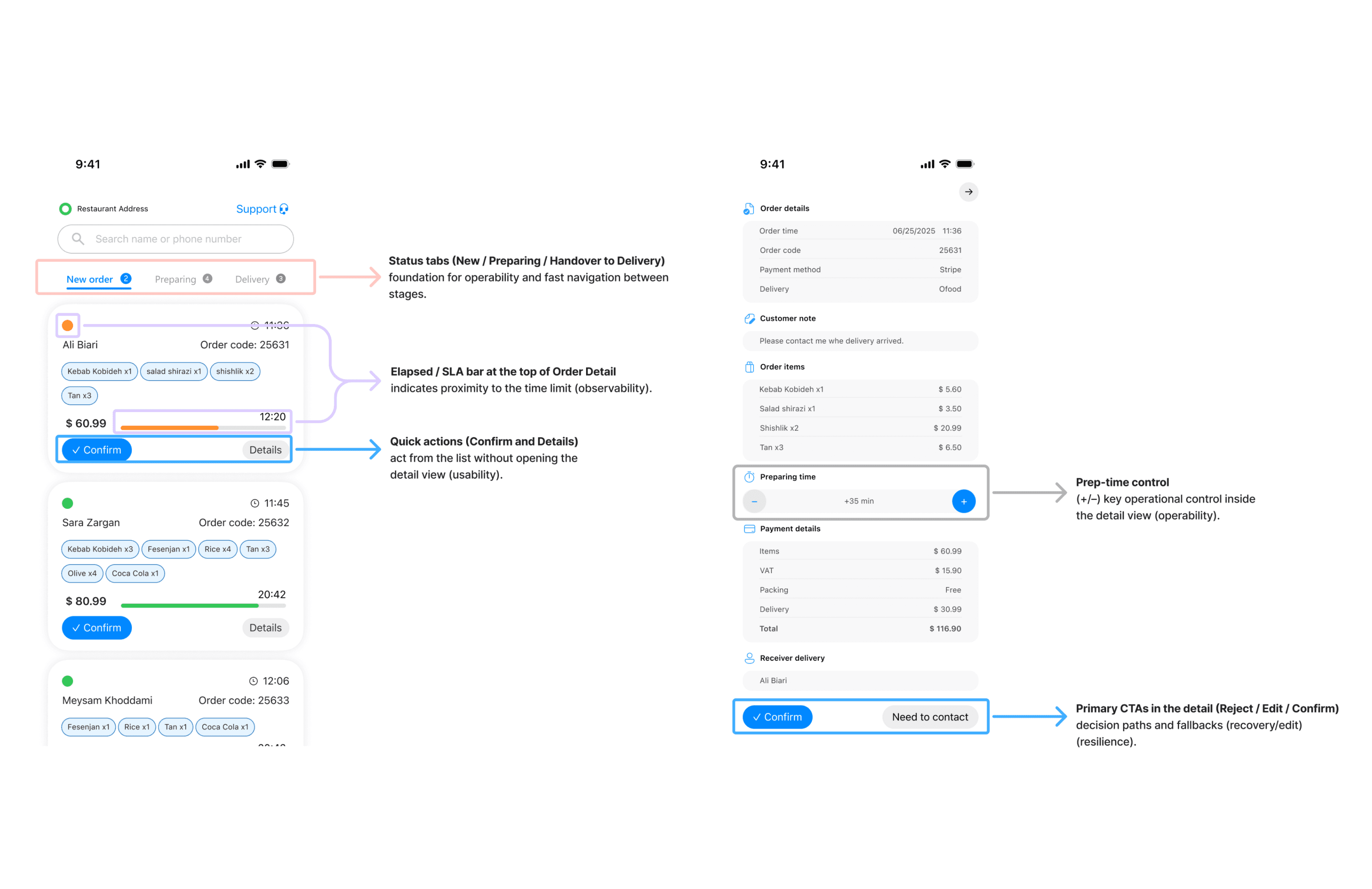
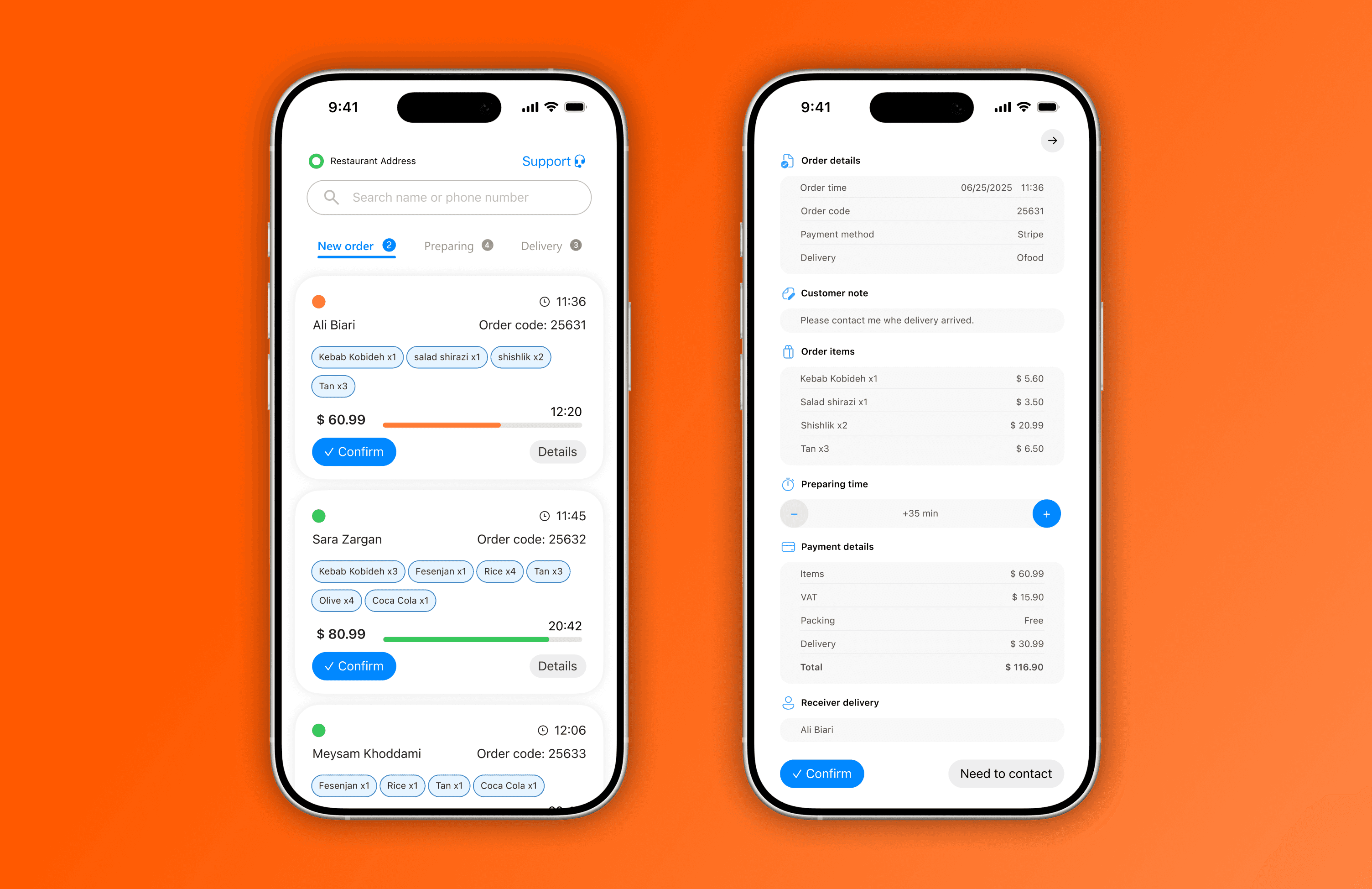
I redesigned the order list so managers can decide without diving into details:
Clear status tabs; compact cards; priority/ETA signals on the card.
Quick actions directly on each card: Confirm and Details.
A detail view that keeps only the essentials top-of-fold (time, delivery mode, payment, items, prep time control, primary CTAs).
This reduces context-switching and supports multi-order handling.
Capacity Control for Peak Load (Reliability)
Usability alone doesn’t fix overload. I proposed a temporary, manual cap on new incoming orders during peak (e.g., X orders per 15 minutes). This keeps WIP realistic, makes ETA more accurate, and lowers human error under stress.
Design notes
Modes: Normal → Busy → Very busy or a numeric cap per 15-min bucket.
Auto-expiry (30–60 minutes) and auto-recovery when WIP falls.
Clear communication: buyers see accurate ETA or next available slot; managers see WIP, average prep, and time left on the cap.
Optional: schedule/queue orders when the bucket is full instead of hard block.
This is intentionally reliability-driven, not just a UI tweak—it adds backpressure to stabilize the system.
What I Learned
When the system is under load, reliability features (like throttling) often create bigger wins than micro-UI optimizations.
Designing for operations (WIP, ETA, escalation) + a tight IA is how you make the whole experience resilient—not just usable.
Small affordances (risk countdowns, in-card actions) compound under pressure.
This case study is based on the original task brief and my deliverables (IA, flow, and UI): statuses and user story; IA for list & detail metrics and the “temporary limit on incoming orders” proposal.