Redefining Productivity: The Evolution of a Unified User Dashboard
ERM - User Dashboard Case Study
Nov 21, 2024
Services
Product Design & UX Strategy
Information Architecture
Workflow Optimization
Cross-team Collaboration
Links
Let’s start with the truth: there wasn’t really a “dashboard” to begin with.
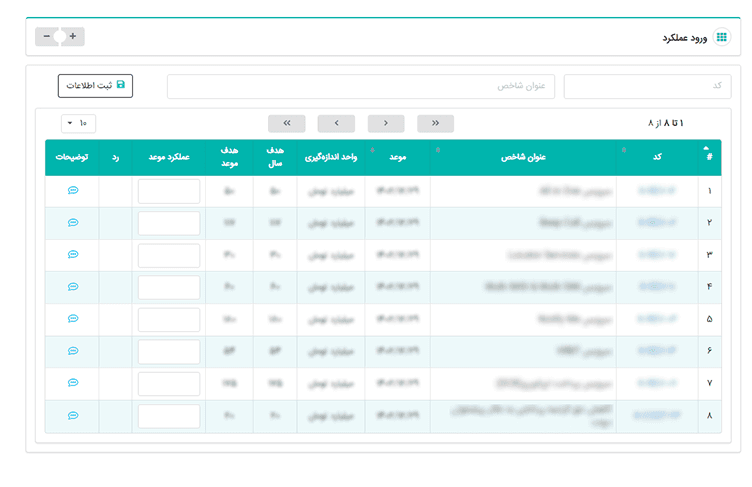
For years, users across the organization referred to scattered, dense, data-heavy pages from modules like OPM or KPI performance as their "dashboard." In reality, these were isolated interfaces with little context and zero cohesion. Navigating between them felt like chasing pieces of a puzzle that never quite fit together.
Things changed when the decision was made to migrate onto Microsoft Dynamics CRM 325. Suddenly, we had something that resembled user identity profiles, roles, team structures, even a task module. For the first time, we could assign tasks based on roles and relationships. But it was still... clunky. It wasn’t the dashboard we needed.
So I set out to build one.
I envisioned a space where each user could walk in, know exactly what they needed to do, and act without friction. That meant designing a centralized command center, merging everything from KPI performance to task coordination into one coherent experience.
I trimmed down flows that took five clicks too many. I pulled disconnected parts of the system closer together. We even introduced smart triggers and automations that could remind users of pending evaluations or alert them to unplanned KPIs. I didn’t just design a UI, I reimagined the way people worked inside CRM 325.
I took its scattered capabilities, stitched them together, and built a dashboard that actually deserved the name.
Responsibilities
Led IA + dashboard layout and shipped wireframes → prototype → spec.
Ran interviews & validation loops; aligned with PM/Dev on constraints.
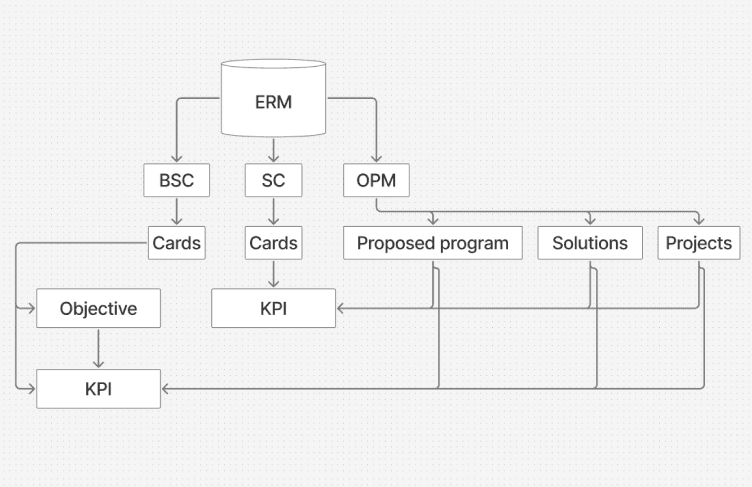
Orchestrated cross-module data (KPI/BSC, tasks, meetings) into a single flow.
Challenges
Here’s where things got messy (and interesting). Building a dashboard that pulled data from multiple business modules wasn’t just about layout or UI was about unification.
Key challenges included:
Data & ownership: each module had different rules and owners.
Diverse needs: speed vs. control across roles.
Platform limits: customizing Dynamics 365 beyond defaults.
Understanding the User
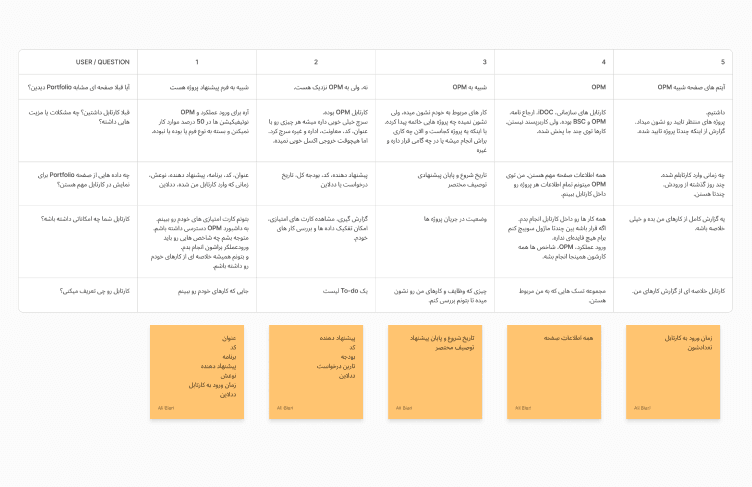
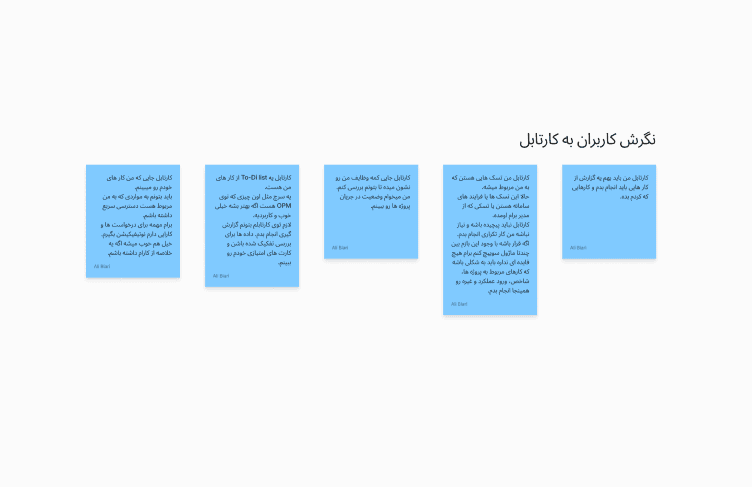
I started from the ground, real user behavior, and real frustrations. From ride-alongs with operations leads to informal coffee chats with analysts, I gathered insights directly from the people living in the system every day.
Users weren’t just overwhelmed, they were mentally stitching together a dashboard from memory. “My KPIs are here, but my tasks are over there, and meeting requests? Somewhere else.” They wanted clarity. And control.
Meanwhile, managers had another set of problems: they couldn’t track employee performance without jumping through multiple screens or Excel sheets.
My research revealed:
Employees craved a clear, at-a-glance task list to ground their workday.
BSC visibility was critical to understanding performance and aligning with strategic goals.
Task collaboration features (like notes, delegation, and reminders) were missing and sorely needed.
Managers needed one place to assign, review, and follow up without micromanaging.
These insights became the heartbeat of our design.
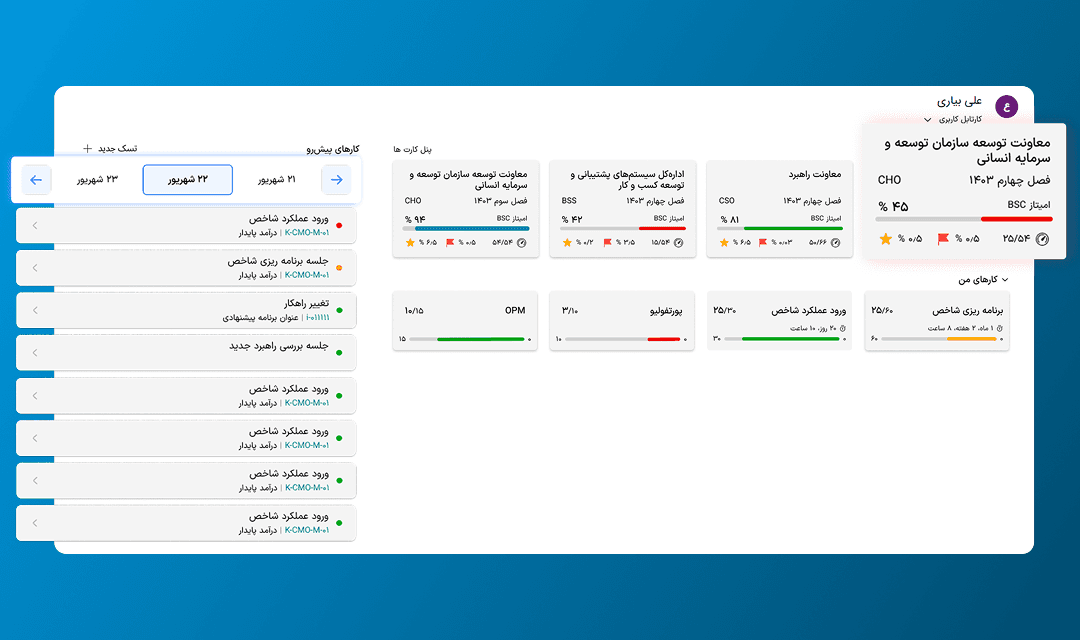
If you wonder, it was what they called Dashboard for KPIs before
Solution
I didn’t just build a dashboard. We built a workspace that lets users act, plan, reflect, and collaborate in one flow.
We reimagined how MS CRM 325’s features could serve a more fluid, intuitive experience. Instead of forcing users to adapt to the system, we reshaped the system around them.
Here’s how we did it:
One home: KPI, tasks, meetings in one place (role-based).
Modular widgets with quick actions & mentions.
Automations: triggers for overdue/unplanned items.
BSC visibility: strategy embedded in daily work.
We turned CRM’s modular chaos into a well-organized cockpit.
Design Process
No magic. Just iteration, feedback, and a lot of whiteboarding.
We used a hybrid approach, lean where we could move fast, structured where it mattered. Each step was tested in the wild, adapted, and refined based on live user reactions.
Wireframing & Concept Sketching – Defined key modules and UX priorities.
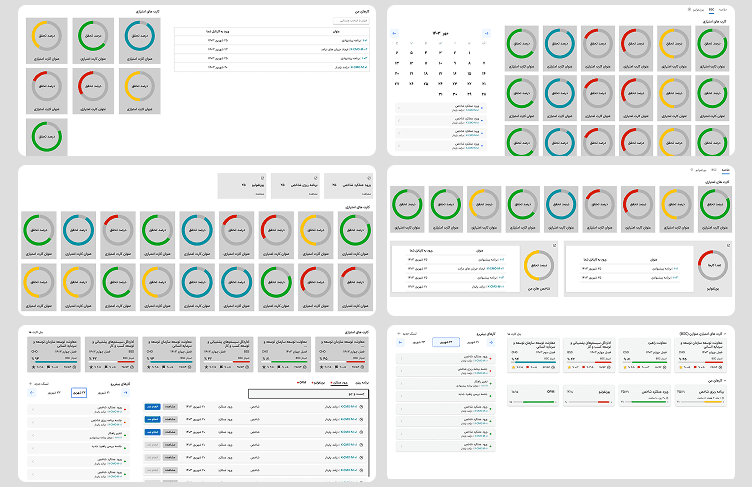
Prototyping in Context
Prototyping in Context – Built and tested flows directly in CRM with real data.
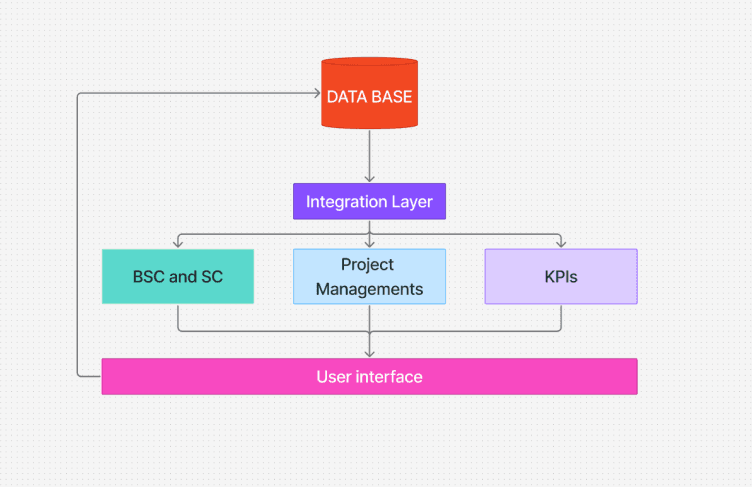
Cross-team reviews – Held alignment checkpoints with dev and PM teams.
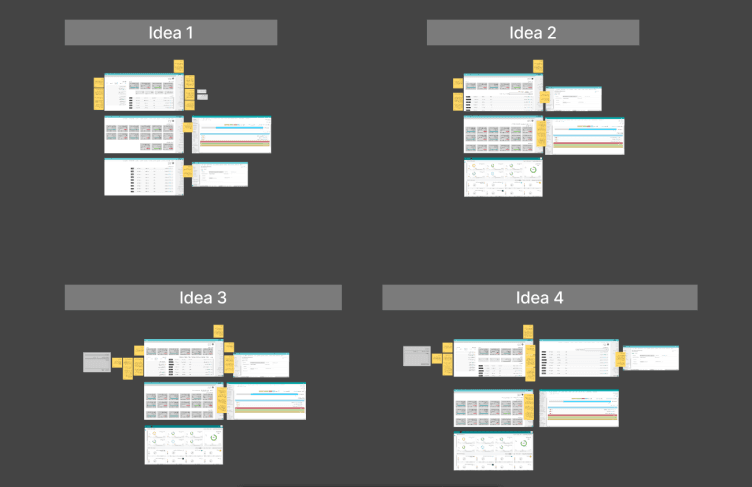
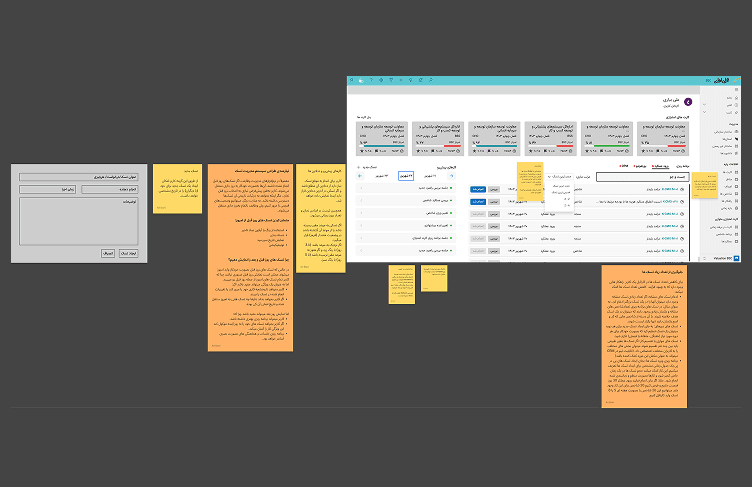
Polish & Handoff – Created clean specs and interaction documentation for implementation.
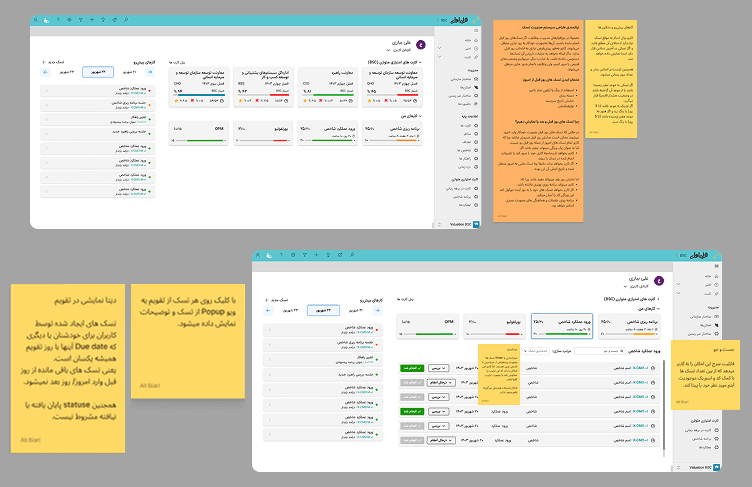
Final Design
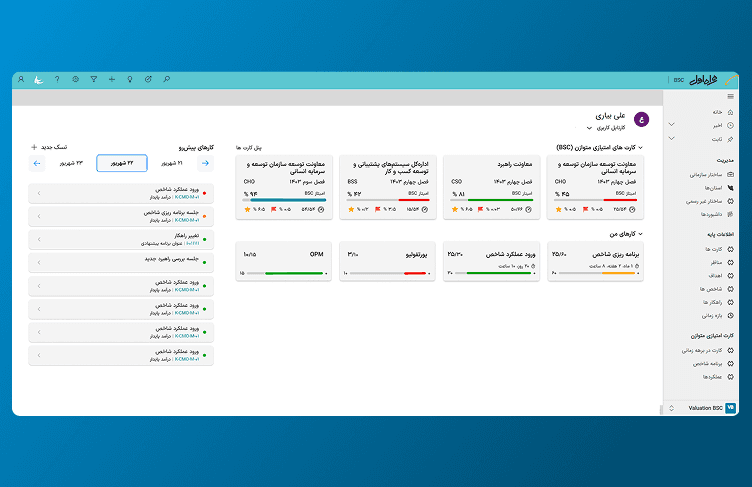
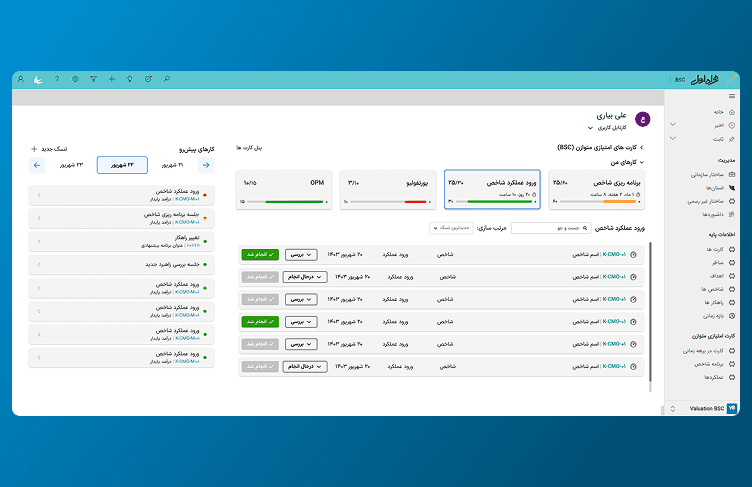
The dashboard wasn’t just about information, it was about giving people a handle on their day, their team, and their strategy.
Core elements included:
Personal task view – Prioritized to-dos, overdue alerts, and actionable items.
Integrated BSC metrics – KPIs in full view, not hidden in a maze.
Smart notifications – Triggered by actual changes, not just reminders.
Modular layout – Adapted based on user role: analyst, manager, or coordinator.
It looked simple, but behind the scenes, it was a choreography of data, intent, and user flow.
Here’s what changed after rollout:
Less hunting, more doing — Time spent navigating dropped significantly (−25% target, from click-path logs).
Task visibility increased — Completion rates and responsiveness improved (+15% within SLA).
KPI awareness jumped — Users tracked their performance proactively (+40% managers moved from Excel to the dashboard).
More importantly, people finally stopped calling random CRM pages their “dashboard.”