RPG Craft Screen
Design Task
Mar 5, 2024
Services
Design System
Interface Design
Framer Development
Links
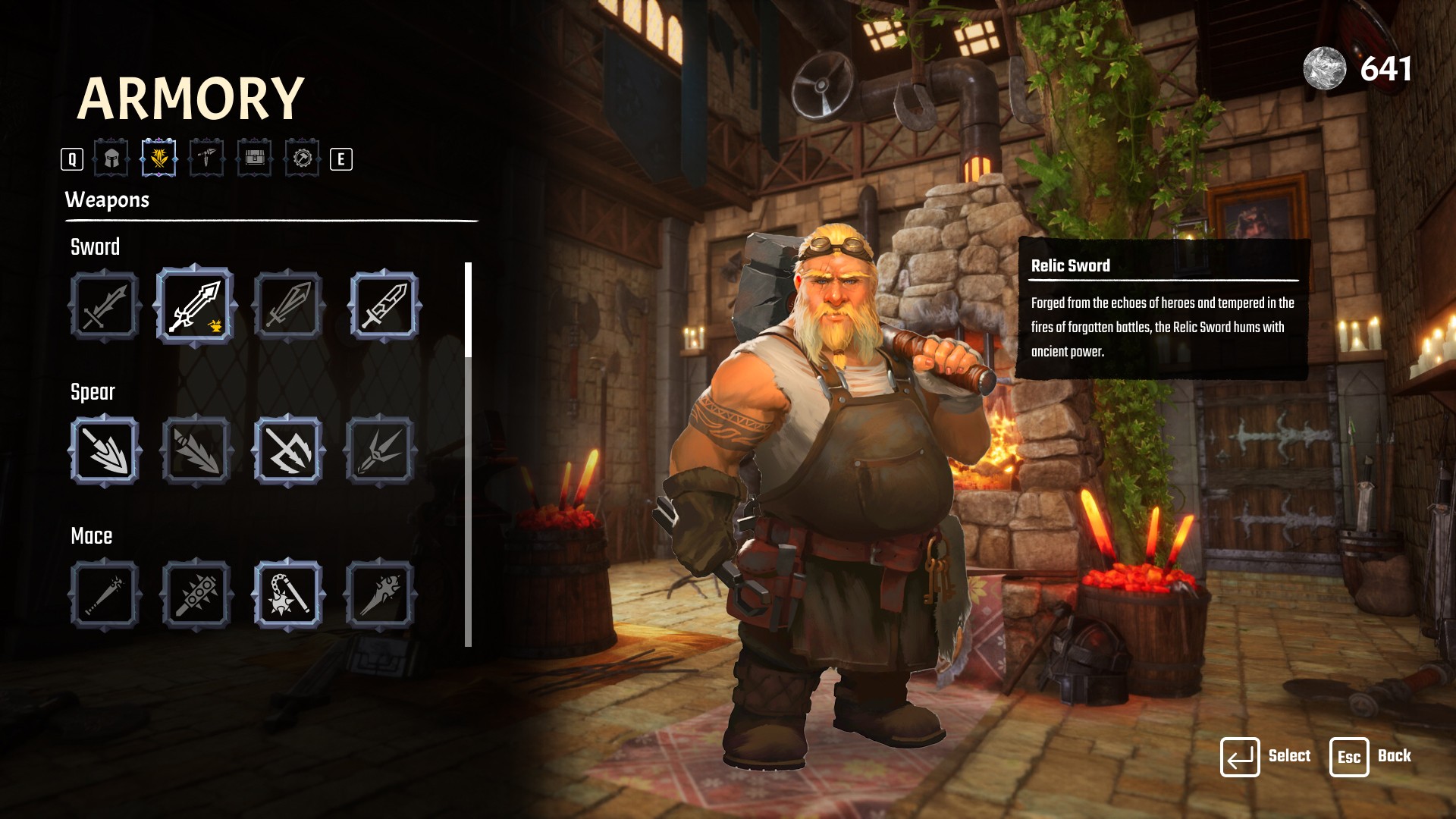
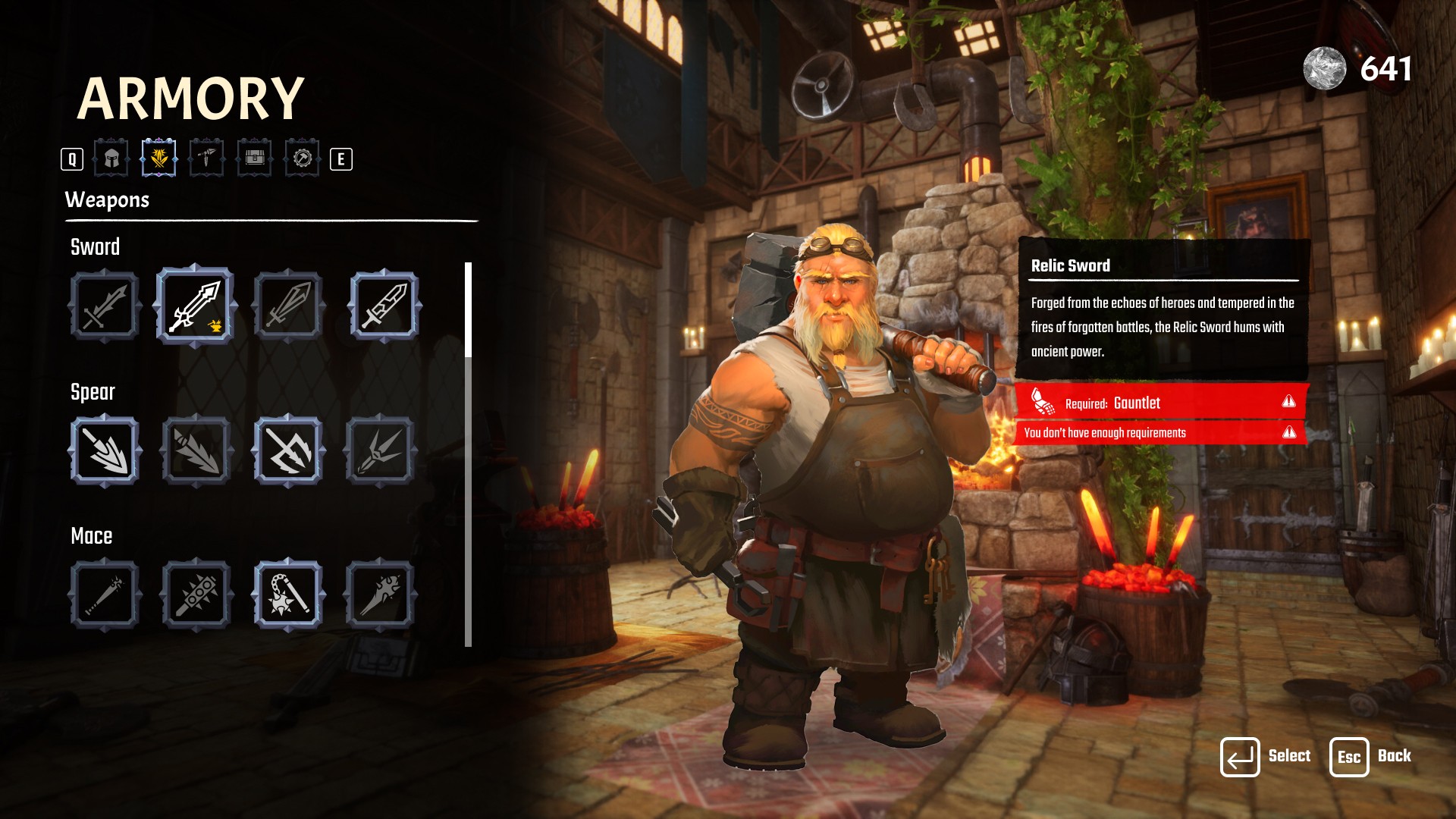
This project focused on designing a Craft Screen for weapon creation in a role-playing game (RPG). The goal was to develop a visually engaging and user-friendly interface that allows players to craft powerful weapons efficiently while understanding the required resources and associated costs.
As this was a completely new feature with no previous user interactions, the design decisions were based on industry standards, benchmarking similar games, and hypothetical user scenarios to deliver an optimal experience.
Responsibilities
The primary goal was to create a Craft Screen that:
Provides clear and intuitive information about weapon crafting requirements.
Ensures smooth navigation for players, even those unfamiliar with crafting mechanics.
Displays error messages effectively when resources are insufficient.
Challenges
Since there were no previous user data or experiences, several design challenges emerged:
Understanding player needs: How do players efficiently grasp resource requirements without prior crafting knowledge?
Error clarity: How can we effectively communicate when crafting conditions are not met?
Visual engagement: How do we create a visually compelling interface that aligns with the game’s fantasy theme?
Research and Benchmarking
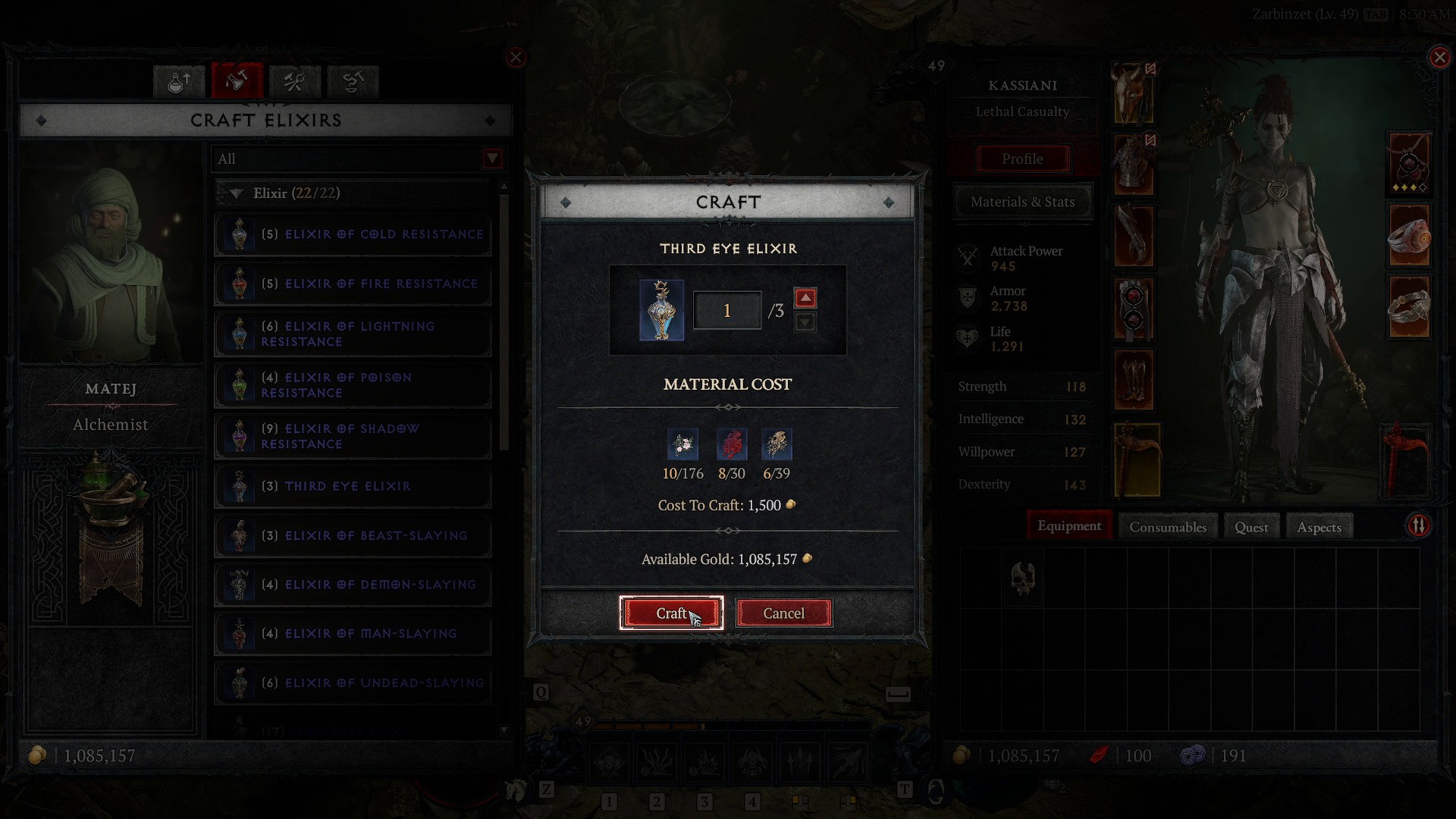
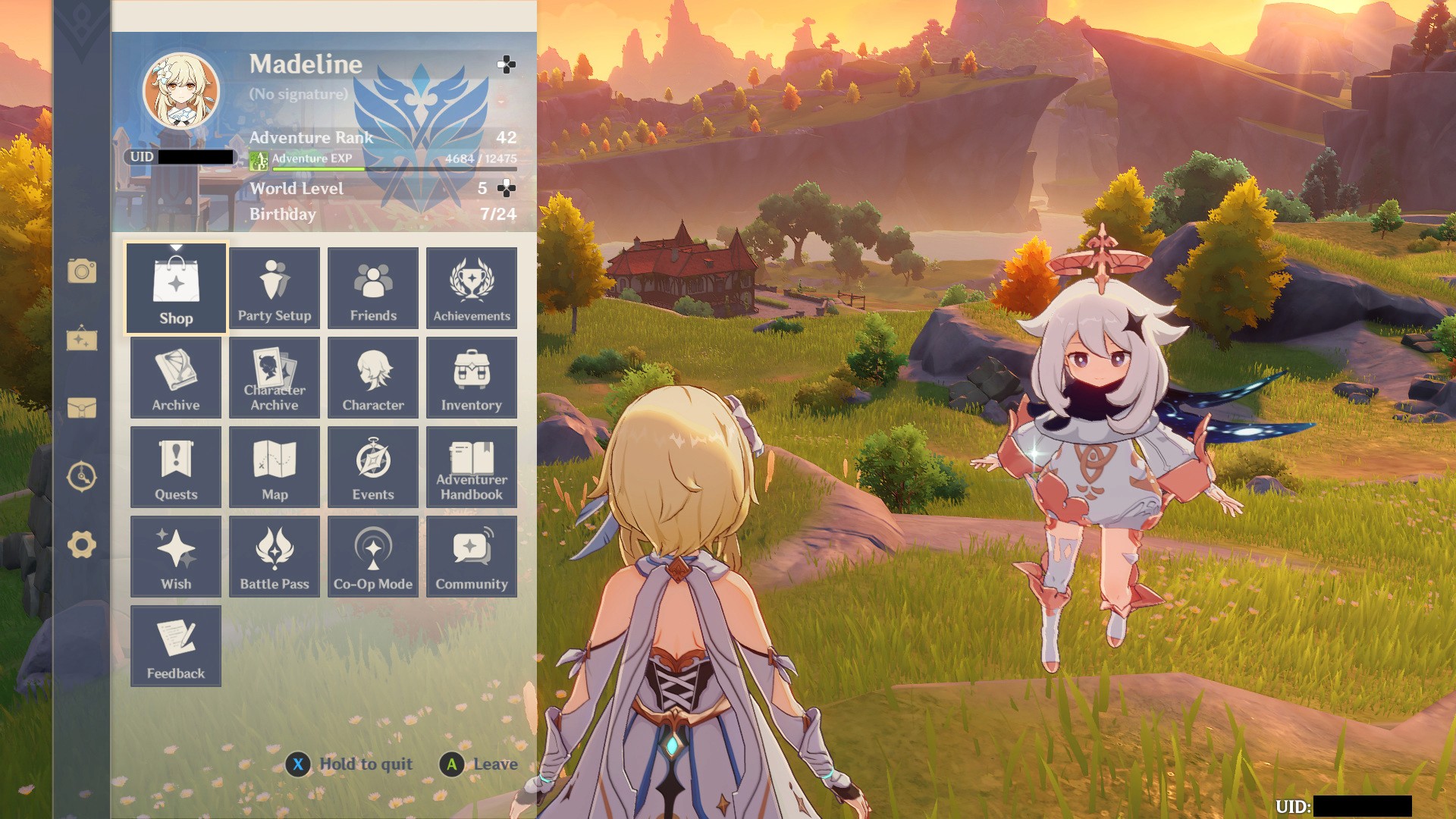
To overcome the lack of direct user data, I researched crafting interfaces in popular RPGs such as:
Genshin Impact: Clear resource indicators and simple crafting flow.
Monster Hunter World: Effective use of visual cues for available and unavailable crafting options.
Diablo III: Strong emphasis on thematic UI elements.
Key takeaways from this research included:
The importance of color-coded resource indicators.
Providing instant feedback on crafting eligibility.
Using immersive visual elements that enhance the game’s atmosphere.
The Design Process
a. Wireframing and Sketches
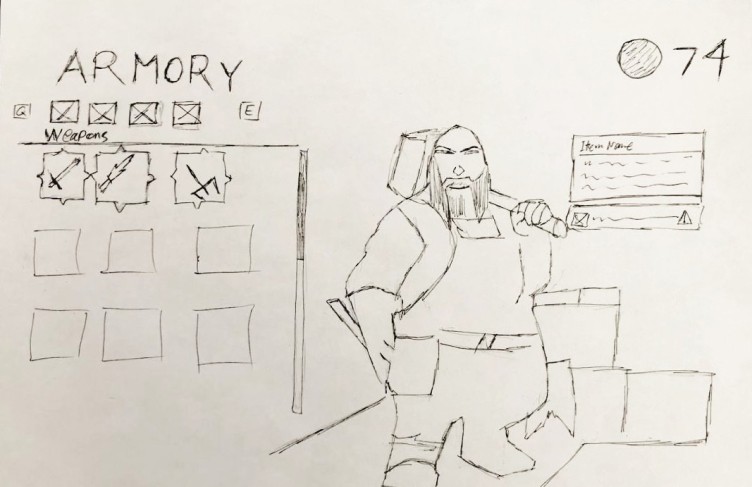
I started with low-fidelity wireframes to map out the structure of the Craft Screen. Key sections included:
Resource requirements display.
Craft button with dynamic states.
Error messages for insufficient resources.
b. Visual Design
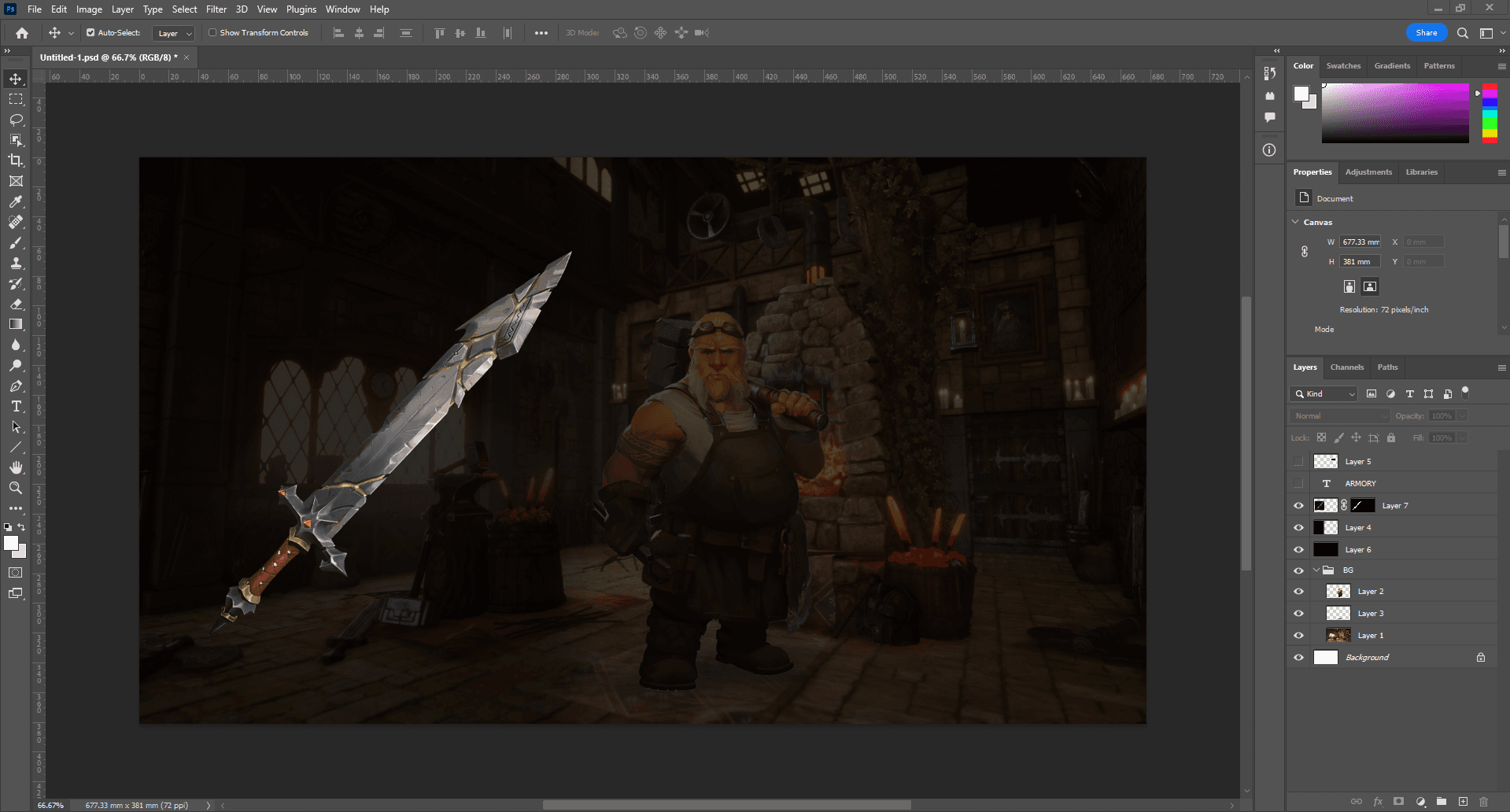
Using Photoshop for scene composition and Figma for UI details, I combined:
A blacksmith workshop scene with immersive fantasy visuals.
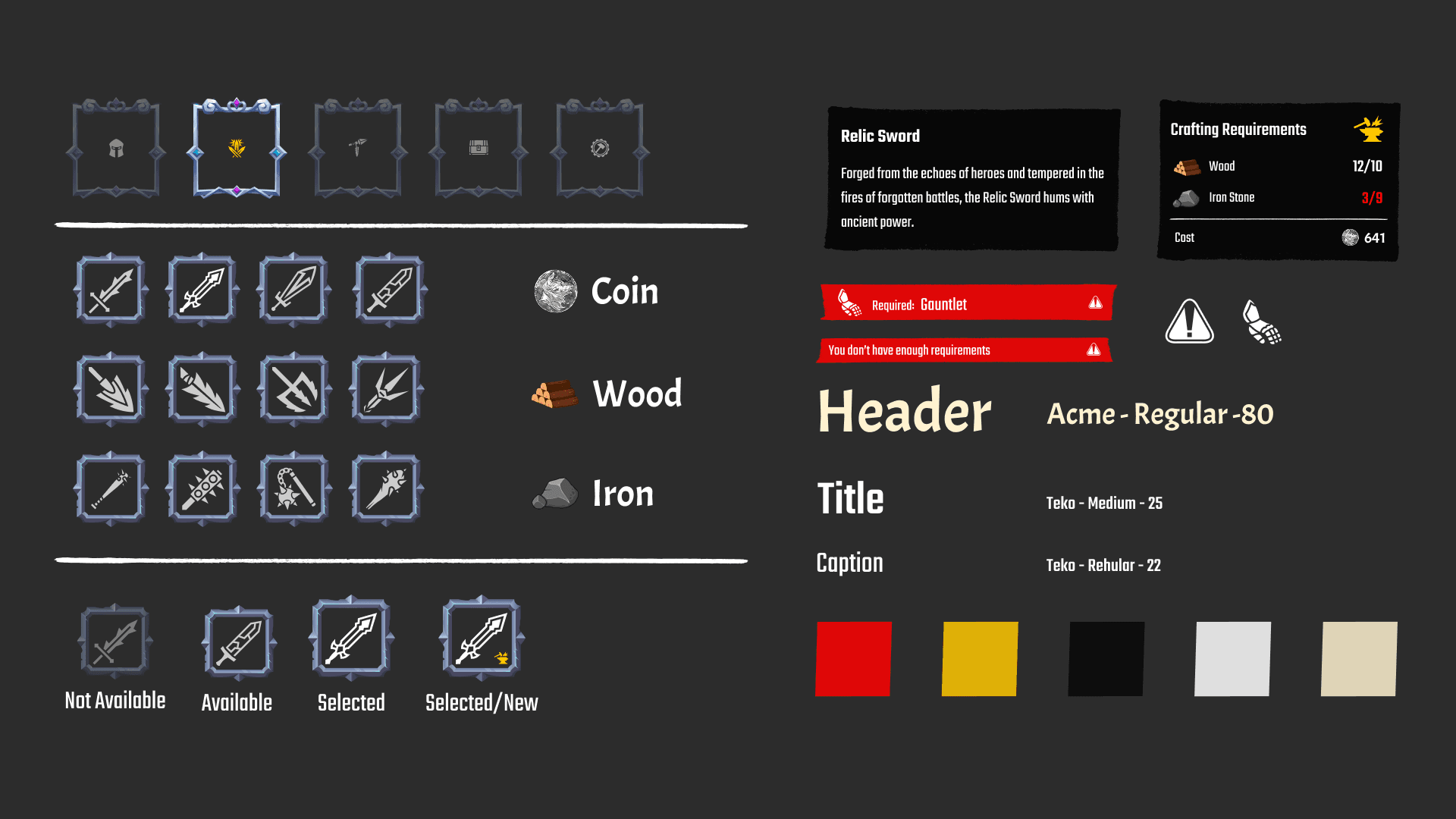
Ready-made icons to indicate resources and crafting status.
c. Interaction Design
Key interactive elements:
Dynamic Craft Button: Changes color based on resource availability (green for available, red for insufficient resources).
Error Messages: Clear prompts when requirements aren’t met.
Final Design
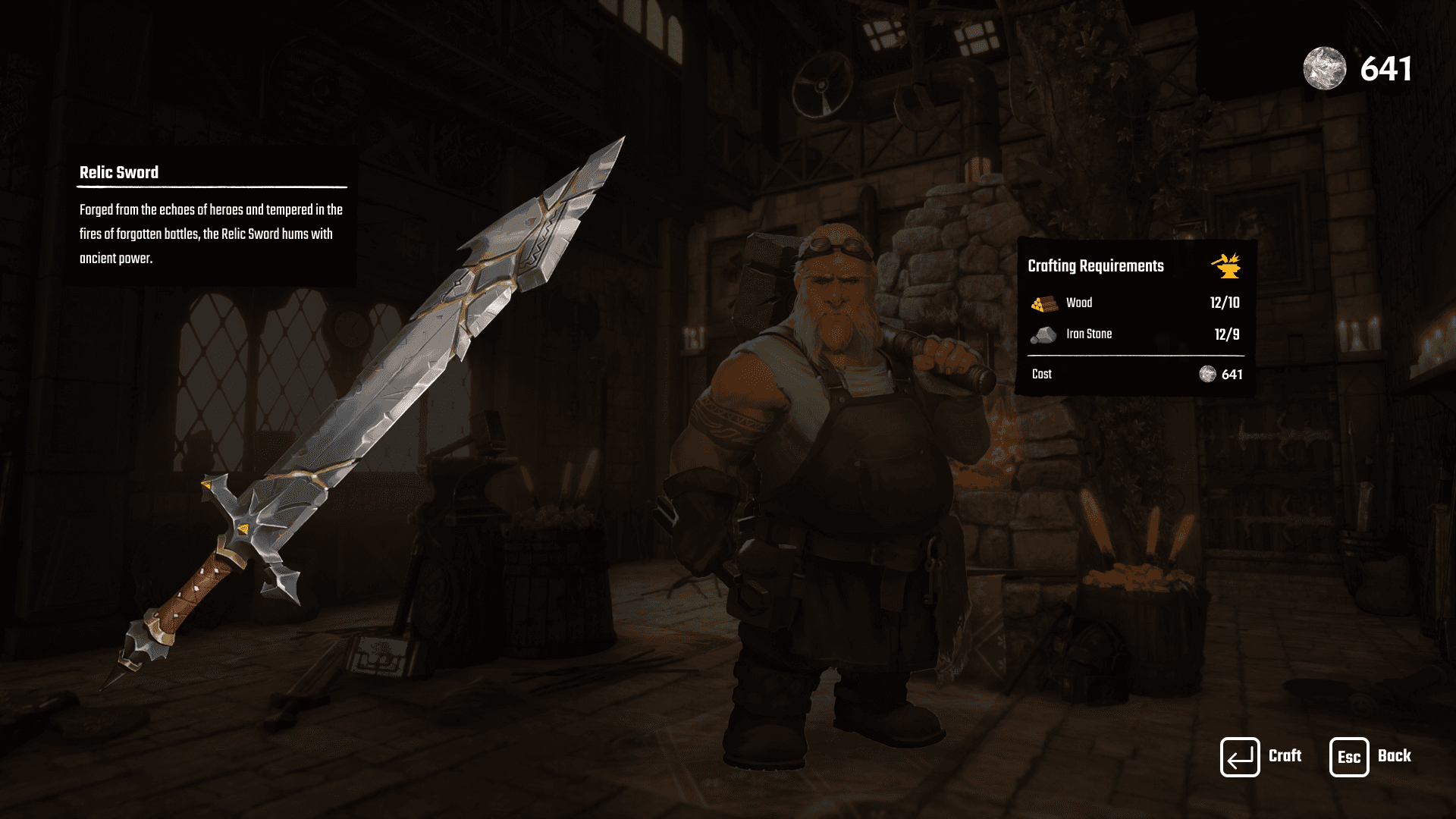
Key Features:
Resource Requirements Panel:
Displays the amount of wood, iron, and stone required.
Real-time updates when resources are insufficient.
Craft Button States:
Active State: Green button when all conditions are met.
Inactive State: Red button with a tooltip for missing resources.
Error Feedback:
Visual cues and text prompts such as "You don’t have enough resources."
Weapon Information Section:
Descriptions of crafted weapons, reinforce the fantasy theme.
Key Takeaways
Clarity is Key: Providing clear resource indicators and error messages greatly enhances user experience.
Thematic Design Matters: Integrating visual elements that align with the game world creates a more immersive experience.
Dynamic Feedback: Real-time UI feedback keeps players engaged and informed.
"Designing the Craft Screen for this RPG game was a rewarding experience that allowed me to combine visual storytelling with functional UI/UX design. One key aspect was creating a visually immersive blacksmith workshop while ensuring intuitive navigation for players. Without prior user data, I relied on research and hypothetical scenarios to make design decisions, which challenged me to balance aesthetics and usability. This project reinforced the importance of thoughtful interaction design and thematic consistency, valuable lessons I’ll carry forward to future projects."